Native Windows
Desktop windows powered by GLFW with configurable window behavior.
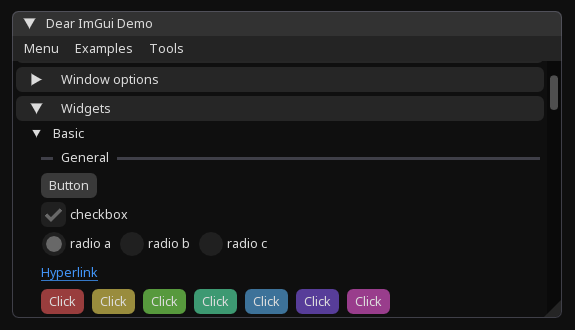
ImApp is a lightweight application framework that gives your C# application a native window, OpenGL rendering, and Dear ImGui — without adding another UI layer.
using Hexa.NET.ImGui;
using ImApp;

using var app = new App(new WindowOptions
{
    Title = "My Application",
    Width = 1000,
    Height = 700
});

app.Run(() =>
{
    ImGui.Begin("Hello");

    ImGui.Text("Hello from ImApp!");

    if (ImGui.Button("Click me"))
        Console.WriteLine("Clicked!");

    ImGui.End();
});ImApp handles the application lifecycle, window, rendering and timing while Dear ImGui remains the UI API.
Desktop windows powered by GLFW with configurable window behavior.
Use the Dear ImGui API directly without another widget abstraction.
Built-in OpenGL rendering through the ImGui OpenGL backend.
Borderless, transparent, resizable, maximized, topmost and passthrough windows.
Enable Dear ImGui docking for IDE-style application interfaces.
Configure a target rendering rate or disable the limiter completely.
A compact reference for the core ImApp API.
Create an App, configure its
window and pass your UI to Run.
using Hexa.NET.ImGui;
using ImApp;

using var app = new App(new WindowOptions
{
    Title = "My Application",
    Width = 1000,
    Height = 700
});

app.Run(() =>
{
    ImGui.Begin("Hello");
    ImGui.Text("Hello from ImApp!");
    ImGui.End();
});
WindowOptions controls how
the native GLFW window is created.
var options = new WindowOptions
{
    Title = "My Application",
    Width = 1000,
    Height = 700,

    Decorated = true,
    Resizable = true,
    Transparent = false,
    Topmost = false,

    Maximized = false,
    Visible = true,
    Focused = true,

    MousePassthrough = false,
    DockingEnabled = false,
    HostWindow = true,

    TargetFps = 144,
    FontSize = 17
};| Property | Default | Description |
|---|---|---|
| Title | "ImApp Window" | Window title |
| Width | 800 | Initial width |
| Height | 600 | Initial height |
| Decorated | true | Enable native decorations |
| Resizable | true | Allow resizing |
| Transparent | false | Enable transparent framebuffer |
| Topmost | false | Keep above normal windows |
| Maximized | false | Start maximized |
| Visible | true | Show window initially |
| Focused | true | Request initial focus |
| MousePassthrough | false | Pass mouse input through |
| DockingEnabled | false | Enable ImGui docking |
| HostWindow | true | Create full-window ImGui host |
| TargetFps | 100 | Target rendering rate; 0 disables limiter |
| FontSize | 17 | Embedded font size |
By default, ImApp creates a full-window ImGui host and executes your UI inside it.
using var app = new App(new WindowOptions
{
    HostWindow = true
});

app.Run(() =>
{
    ImGui.Text("Hello from ImApp!");
});
Set HostWindow = false when
you want to manage the ImGui windows yourself.
using var app = new App(new WindowOptions
{
    HostWindow = false
});

app.Run(() =>
{
    ImGui.ShowDemoWindow();
});
Enable Dear ImGui docking through
DockingEnabled.
using var app = new App(new WindowOptions
{
    Width = 1200,
    Height = 800,
    DockingEnabled = true
});

app.Run(() =>
{
    ImGui.ShowDemoWindow();
});Combine transparent rendering with disabled decorations for overlay-style applications.
using var app = new App(new WindowOptions
{
    Decorated = false,
    Transparent = true,
    MousePassthrough = true
});
ImApp includes Noto Sans Regular and loads
it automatically. Change its size with
FontSize.
using var app = new App(new WindowOptions
{
    FontSize = 18
});ImApp provides the application, window, rendering, timing and lifecycle layer on top of these components.
ImApp is available as a NuGet package.
dotnet add package ImApp<PackageReference
Include="ImApp"
Version="0.2.0" />ImApp does not replace your UI toolkit. It provides the application layer around it.